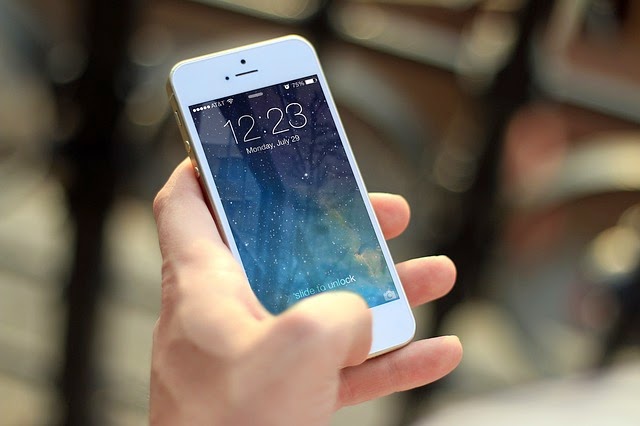
With iPhone 7's latest
rumor that it will be released in less than a month from now, we can't help but
wonder what new features and look it will offer to its consumers. Will it have
a 1080p screen? How about waterproof? Is Apple making special headphones for
it? It could be a huge change this year, considering that the iPhone 6S is
somewhat underwhelming as it doesn't brought anything amazing aside from the
fancy 3D Touch technology.
Straight
to the Point
- What
is it? A
rebooted iPhone with new powers, features, and design
- When
will it come out? Target date is on
September 7th
- How
much will it cost? Most likely it
will be the same as the iPhone 6S
iPhone
7 Price
The iPhone 7 price is
rumored to be around US$649 (£539, AU$1079) but here's the good news -- for
that price, you'll most likely to get 32 GB of storage instead of 16 GB.
Bottomline is, there will be a larger base storage option, but there will be
very little price increase as the iPhone is already at the peak of acceptable
cost.
iPhone
7 Design
Highlights:
- Water resistance
- Bezel-less metal body
- Redesigned antennas

Well heads up for
Apple fans, because there's a slight disappointment on this side: it might be
very similar outside of a few tweaks here and there. There's a new color option
though, since there are rumors that iPhone 7 will be adding Space Black shade
to the mix, likely similar to the black Apple Watch option.
Another latest rumor
is said to be pushing a blue variant, too. You can see the likely shape of the
new iPhone in the image above, showing off the redesigned antenna bands and a
single lens snapper.
Slimmer
Look

The
soon-to-be-released iPhone 7 is said to be slimmer than the 7.1mm-thick iPhone
6S. Though rumored to be around 6-6.5mm thin, it will beat Samsung Galaxy S6 at
6.8mm. Another report claims Apple will be using fan-out technology to save
space and reduce the thickness of the iPhone 7.
Is
it Going to Be a Waterproof Phone?
Apple screen supplier
Japan Display has come up with a new technology called "Pixel Eyes,"
which is now on its second generation that makes it easier to use the screen
while you have wet fingers. However, another report has mentioned that Apple
will opt for a slimmer iPhone 7 rather than a waterproof one. Apple will likely
get a new LCD technology as well, which could allow the iPhone 7 to be 1mm
thinner than before.
iPhone
7 Screen
Highlights:
- A 1080p screen
- An edge-to-edge display
- No OLED technology for this
year

Apple is apparently
likely to move to glass-on-glass screens, which opens up the possibility of a
QHD or even a 4K display. However, Apple's first move will surely be getting
both handsets up to 1080p sharpness, as has also been rumored and is expected
to have 4.7-inch and 5.5-inch models.
iPhone
7 Camera and Battery
Highlights:
- A larger, single-lens sensor
- No more camera bump
- A larger battery
Apple overhauled its
camera technology for the iPhone 6S, replacing its old 8 MP snapper with a
shiny new 12 MP and then gave the front camera a boost of up to 5 MP. For one
thing the standard iPhone 7 may get optical image stabilization along with the
larger iPhone 7 Plus. A recent leak suggests that Apple will increase the
battery size for the iPhone 7 while still being able to reduce the thickness.

iPhone
7 OS and Power
Highlights:
- A hexa-core processor
- 3 GB of RAM
- iOS 10
iPhone 7 is being
groomed to launch alongside iOS 10, and it's a tremendous feature upgrade over
iOS 9.3. It will introduce a much smarter Siri that can command third-party
apps, new Messaging functionality and a convenient Raise to Wake way of
lighting up the phone.
It won't stop with a
software upgrade under the hood. iPhone 7 could be in for a huge performance
boost, with rumors that the phone will pack a hexa-core Apple A10 chip.
iPhone
7 Other Features
Highlights:
- A pressure-sensitive home
button
- Wireless charging

While the iPhone 7 is
greatly expected to look similar to the iPhone 6S, it could be a purely
different beast inside. It has also been reported that the iPhone 7 will be
"more complex" to manufacture than any previous iPhone, suggesting
there could be a lot more going under the hood.